
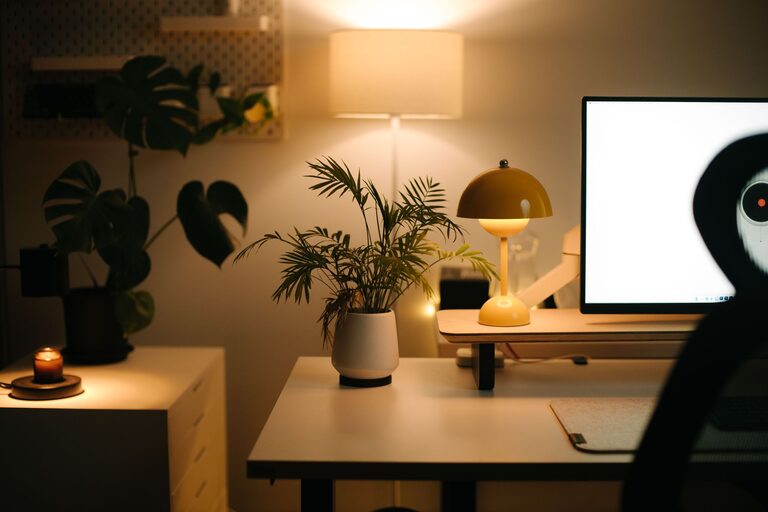
Creating a home office space that feels both cozy and productive can greatly improve your work-from-home experience. Whether you are working remotely full-time or just need a dedicated spot for occasional tasks, the right environment helps focus, creativity, and comfort. Here’s a comprehensive guide with practical tips to help you design a home office that works well for you.
Choose the Right Location
Consider Natural Light
Natural light has been shown to improve mood and energy levels. Try to position your desk near a window to take advantage of daylight. If natural light is limited, invest in warm, adjustable lighting to avoid eye strain.
Minimize Distractions
Pick a quiet corner or room where you can concentrate without frequent interruptions. If space is tight, use room dividers or noise-cancelling headphones to create a personal zone.
Invest in Ergonomic Furniture
Comfortable Chair
A supportive chair that promotes good posture is essential. Look for adjustable chairs with lumbar support to prevent discomfort during long hours.
Functional Desk
Choose a desk with enough surface area for your computer, paperwork, and supplies. Standing desks or adjustable desks can offer flexibility and support a healthier work style.
Organize for Efficiency
Declutter Regularly
Keep your workspace neat by removing unnecessary items. A clutter-free desk reduces stress and helps you focus.
Use Storage Solutions
Shelves, drawer organizers, baskets, or filing cabinets can keep papers and supplies tidy and within easy reach.
Cable Management
Tidy cables with clips or sleeves to avoid a messy look and make cleaning easier.
Personalize Your Space
Add Inspiring Decor
Include artwork, photos, or plants that make the space inviting and uplifting. Greenery can improve air quality and add a natural touch.
Choose Cozy Textiles
Soft rugs, cushions, or throws can bring warmth and comfort. These elements make your workspace feel like a welcoming part of your home.
Optimize Lighting
Layer Your Lighting
Combine ambient lighting with task lighting. A desk lamp with adjustable brightness directs light where you need it.
Avoid Glare
Position screens to minimize reflections and glare from windows or lights to reduce eye fatigue.
Establish Boundaries
Set Work Hours
Define clear work times to maintain balance. Sharing these times with family or housemates helps reduce interruptions.
Separate Work and Relaxation
End your day by tidying your desk or closing the laptop. Physically leaving your workspace can signal the transition from work mode to personal time.
Add Technology Wisely
Use Quality Equipment
Reliable internet, noise-cancelling headphones, and an ergonomic keyboard or mouse can improve comfort and efficiency.
Limit Distractions
Turn off non-essential notifications during work hours to maintain focus.
Create a Routine
Start with a Morning Ritual
Begin your day with activities like stretching, a cup of coffee, or reviewing your schedule to prepare mentally.
Take Breaks
Regular short breaks boost productivity and reduce fatigue. Use timers or apps to remind yourself to stand, stretch, or relax your eyes.
Keep It Flexible
Adapt Your Setup
As your work needs evolve, be open to rearranging or upgrading your space. Small changes can refresh motivation and comfort.
Multi-Use Space Solutions
If your office doubles as another room, consider foldable desks or storage units to maximize the area.
—
By carefully arranging your home office with attention to comfort, organization, and personalization, you create a space where you can thrive. Remember, the best workspace supports your needs and makes working from home both enjoyable and efficient. Happy decorating!