
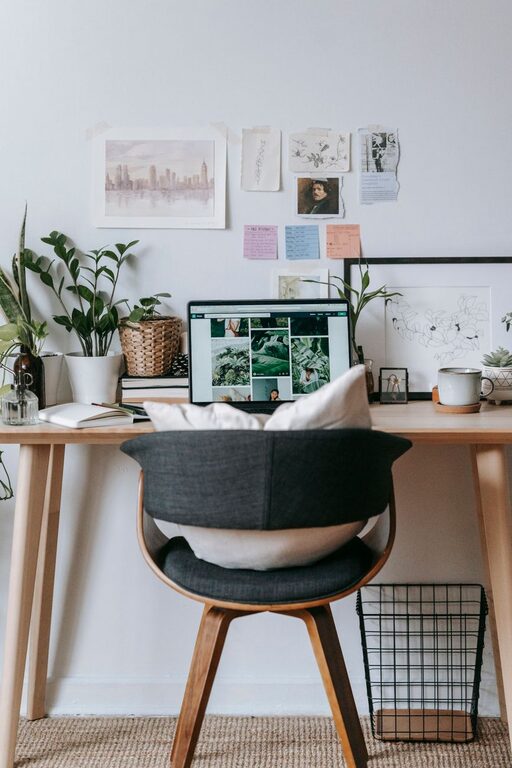
Creating a home office that feels cozy and functions well is a great way to boost productivity and make remote work more enjoyable. Whether you have a dedicated room or just a small corner, a well-planned space can help you focus and feel comfortable throughout your workday. Here are some practical tips to help you design a home office that suits your needs.
1. Choose the Right Location
Assess Your Space
Start by selecting a spot in your home where you can work without too many distractions. This could be a spare room, a nook in the living room, or a quiet corner of your bedroom. Consider noise levels, natural light, and privacy.
Prioritize Natural Light
Position your desk near a window if possible. Natural light improves mood, reduces eye strain, and can make your workspace feel more welcoming. If natural light isn’t an option, invest in quality lighting that mimics daylight.
2. Invest in Comfortable and Supportive Furniture
Ergonomic Chair
Since you’ll be spending hours sitting, choose a chair with good lumbar support and cushioning. An adjustable chair that fits your height and posture needs will help prevent discomfort.
Functional Desk
Decide on a desk size that fits your space and work requirements. A clutter-free surface allows for better focus. If space is limited, consider a wall-mounted or foldable desk.
3. Organize with Purpose
Storage Solutions
Incorporate shelves, drawers, or filing cabinets to keep documents and supplies tidy. Use baskets and organizers to group similar items, so everything has its place.
Declutter Regularly
A clean workspace reduces stress and distractions. Set a habit of tidying up your desk at the end of each day to maintain a neat environment.
4. Personalize Your Space
Add Cozy Textiles
Include a soft throw blanket, cushions, or a small rug to add warmth and comfort. These elements create a more inviting atmosphere.
Bring in Greenery
Houseplants improve air quality and add a touch of nature, which can be calming and boost concentration. Choose low-maintenance plants like pothos or succulents if you’re new to plant care.
Display Inspiring Decor
Add artwork, motivational quotes, or photos that energize and inspire you. Just be sure not to overcrowd the space, which can feel overwhelming.
5. Optimize Lighting
Layer Your Lighting
Use a combination of overhead, task, and ambient lighting. A good desk lamp with adjustable brightness helps reduce eye strain during focused work.
Consider Color Temperature
Warm light creates a cozy feeling, while cooler light can improve alertness. Balance your lighting based on the time of day and the type of work you’re doing.
6. Manage Cables and Technology
Keep Cables Tidy
Use cable organizers, clips, or sleeves to prevent cords from tangling. This not only looks better but reduces hazards and distractions.
Choose Reliable Technology
Invest in a good computer, monitor, and accessories like a keyboard and mouse that fit your ergonomics. Reliable internet connectivity and necessary peripherals help maintain workflow efficiency.
7. Create Boundaries
Define Your Work Hours
Even in a home office, having regular work hours can help separate professional and personal time.
Use Physical or Visual Barriers
If possible, use a room divider or a screen to separate your work area from the rest of your home. This signals to both you and others when you’re in “work mode.”
8. Incorporate Relaxation Spots
Take Breaks
Have a small area in or near your office for stretching or short relaxation breaks. A comfortable chair or meditation cushion can encourage stepping away from the desk.
Keep Water and Snacks Handy
Staying hydrated and nourished helps maintain energy levels throughout your workday.
—
Designing a home office that balances comfort and efficiency is achievable with thoughtful planning. By addressing lighting, furniture, organization, and personal touches, you can create a workspace that supports your productivity and wellbeing every day. Start with small changes and adjust as you find what works best for you!