
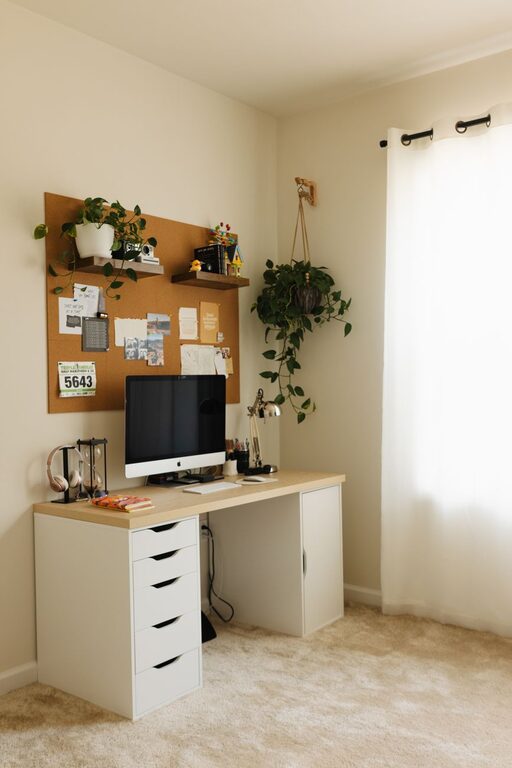
Creating a home workspace that feels both comfortable and practical can boost your productivity and overall well-being. Whether you work remotely, study, or simply need a dedicated area for managing household tasks, a cozy and functional setup helps you focus and enjoy your time working at home. Here are some helpful tips to design a workspace that meets your needs and feels inviting.
Choose the Right Location
When setting up your home workspace, location matters. Ideally, pick a quiet spot away from daily distractions such as the kitchen or living room TV area. If space is limited, consider corners, alcoves, or even a part of your bedroom that can be transformed into a productive nook.
Make sure the spot has good natural light, as sunlight can improve mood and reduce eye strain. If natural light is limited, plan for quality artificial lighting that mimics daylight.
Invest in Comfortable and Supportive Furniture
Comfort is key when you spend long hours at your desk. Choose an ergonomic chair with good lumbar support to protect your back. Adjustable height desks, whether traditional or standing desks, allow you to switch positions and avoid stiffness.
A spacious desk that fits all essential equipment helps keep your workspace tidy and efficient. If you have limited space, consider wall-mounted desks or fold-down options.
Optimize Lighting
Good lighting reduces eye strain and makes the space more pleasant. Position your desk near a window when possible, but avoid glare on computer screens.
Supplement natural light with layered lighting: overhead, task lighting like adjustable desk lamps, and ambient lighting for a warm, cozy feel during evening hours.
Personalize Your Space
Add a few personal touches to make the workspace inviting. Plants bring life and improve air quality. Art, photos, or inspirational quotes add character without cluttering the space.
Choose calming colors for walls and décor to enhance focus and ease stress. Soft textures—like a cozy rug, cushions, or a throw blanket—also contribute to a warm atmosphere.
Organize and Declutter
A clutter-free workspace supports clear thinking and productivity. Use organizers, shelves, or drawers to keep supplies, documents, and devices neatly stored.
Label storage bins and use cable management solutions to avoid tangled cords. Regularly declutter to maintain an inviting environment and prevent distraction.
Incorporate Technology Wisely
Technology is essential, but too many gadgets can create noise and distraction. Invest in quality equipment like a good monitor, keyboard, and headphones that help you work comfortably.
Use wireless devices where possible to reduce cable clutter. Ensure your internet connection is reliable, and set up backup charging stations for your devices.
Create Zones for Different Tasks
If your workspace is large enough, divide it into zones for different activities. A main desk area can serve for computer work, while a nearby table might be for writing or crafts.
Having separate areas helps your brain associate each part of the space with its task, boosting efficiency. For smaller spaces, keep zones flexible by using modular furniture.
Manage Noise
Noise can be distracting. If you can’t find a quiet spot, consider noise-canceling headphones or white noise machines to block background sounds.
Soft furnishings like rugs, curtains, and cushions also absorb sound and help create a quieter environment.
Maintain Good Air Quality and Temperature
Good ventilation keeps the air fresh and helps you stay alert. Open a window when possible or use a small fan or air purifier to improve circulation.
Keep the room at a comfortable temperature—not too hot or cold—to maintain focus. A cozy workspace is welcoming but also practical for your comfort.
Establish Boundaries and Routine
Finally, set clear boundaries if you share your home with others. Communicate your working hours and create signals to indicate when you need quiet or focus.
Establishing a routine where your workspace signals “work time” helps build good habits and improve productivity.
—
With these tips, you can create a home workspace that’s both cozy and functional. A thoughtful setup tailored to your preferences makes working from home more enjoyable and efficient. Start small, personalize gradually, and adjust your space as you go to find what works best for you.